
A smart door sensor detects when doors or windows open and can send immediate alerts through the app. Together with a motion sensor and a security camera, it can provide a more complete process for detecting activity and checking what happened.
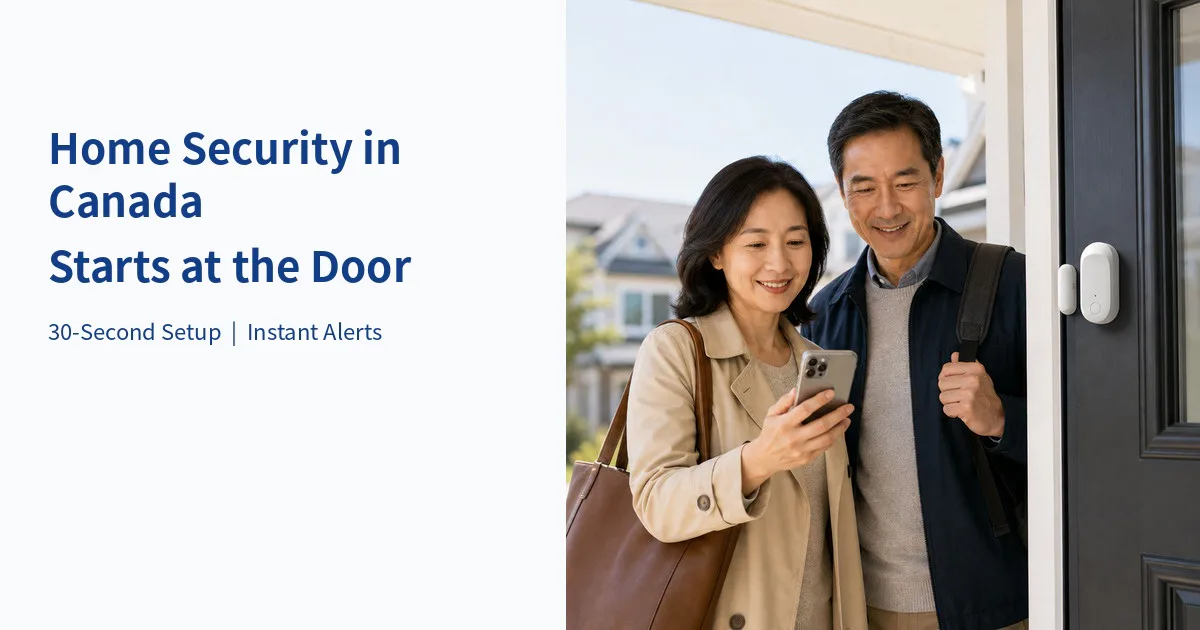
What Is a Smart Door Sensor? Can It Tell Whether a Door Is Locked?
Direct answer: A smart door sensor uses the changing distance between its two components to detect an opening or closing. It cannot tell you whether a lock is engaged and cannot record video on its own.
Many households in Canada live in apartments, condos, townhouses or detached homes. Whether everyone is at work, the family is away for winter travel, or an older parent is home alone, a common concern is whether a door or window has been opened and whether someone can be notified promptly.
A sensor consists of two small components installed on the moving door or window and the stationary frame. When they separate, the system registers the change and can send an app notification. This is neither a physical lock nor a camera; it adds an initial layer of awareness. Name devices by location—for example, Front Door, Garage Side Door or Patio Door—so notifications are easier to understand.
How Do a Door Sensor, Motion Sensor and Security Camera Work Together?
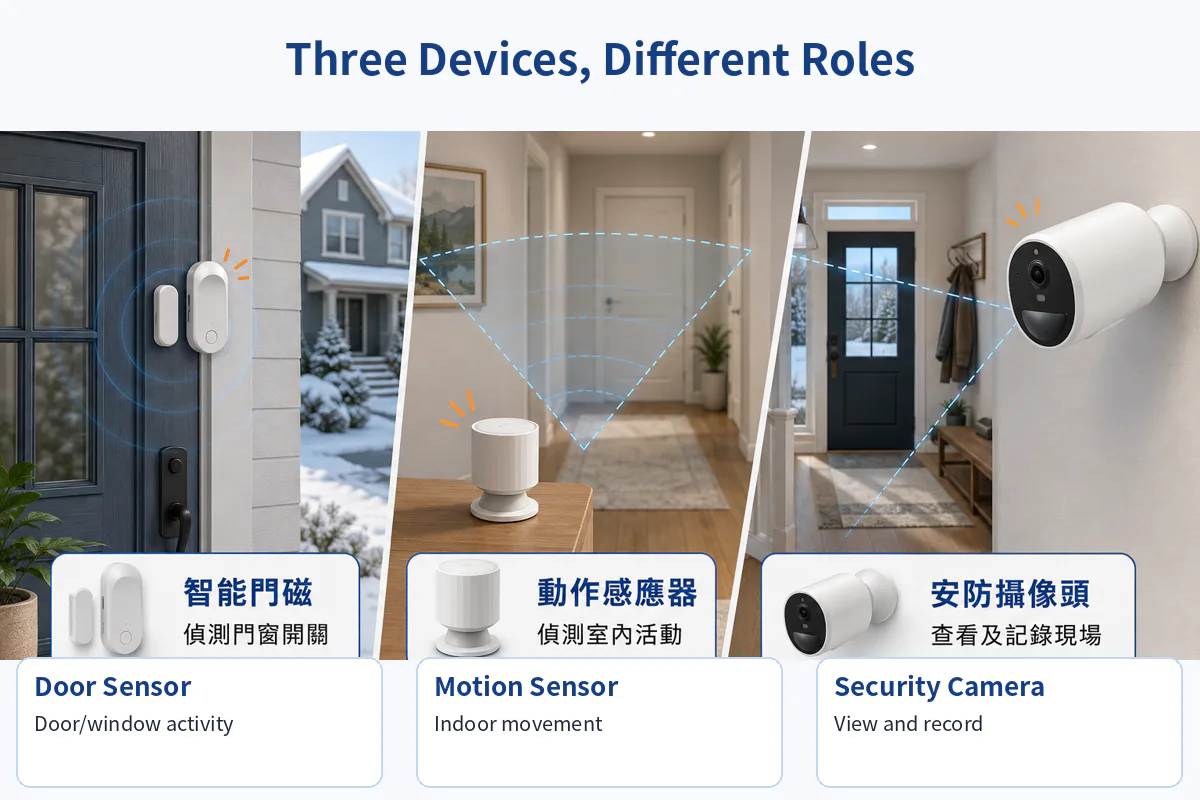
Direct answer: A door sensor detects an entrance opening; a motion sensor tracks movement in a covered indoor area; a camera provides a view and recordings of the scene. Together they can offer more complete awareness than any device alone.
| Device | Detection | Provides | Does not replace |
|---|---|---|---|
| Door sensor | Open/closed door | Status alerts | Lock state or video |
| Motion sensor | Indoor movement | Activity alerts | Person identification |
| Security camera | Field-of-view video | Viewing and recording | Sensors outside view |
Learn about the AIjia Home Security System device bundles.
How Can You Set Up a Smart Door Sensor in About 30 Seconds?
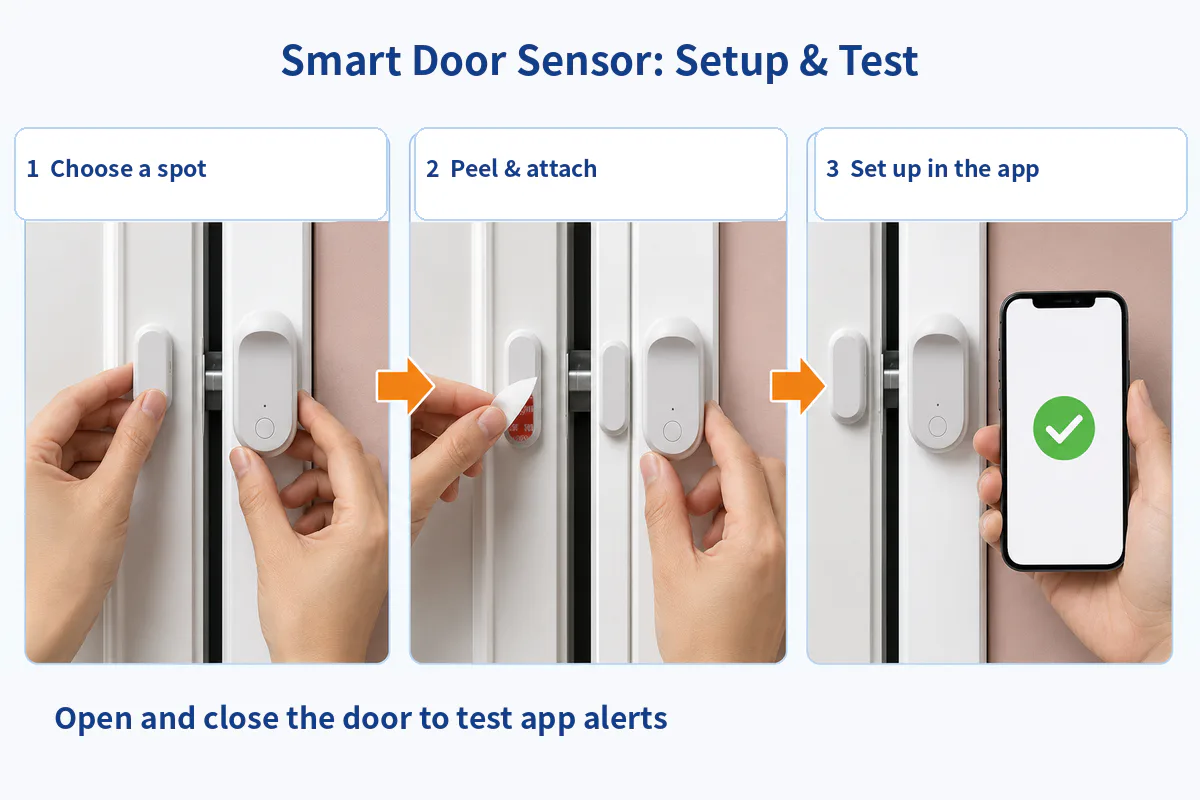
Direct answer: Choose a location, align and attach the two parts, and follow the app pairing instructions. About 30 seconds is the product's quick-setup message, not a guaranteed time; actual setup depends on the surface, network and pairing process.
Step 1: Choose a location
Place the sensor body and magnet on the door or window and its stationary frame. Check that the pieces will not collide when the door opens.
Step 2: Remove the adhesive backing and attach
Press the parts firmly for several seconds. Avoid repeatedly pulling them off or moving them immediately after attaching.
Step 3: Follow the app to activate
Add the sensor in the AIjia app, complete pairing and name the location, such as Front Door or Patio Door.
Step 4: Test the notification
Open and close the door once. Check that the app identifies the right location and state, then adjust Home, Away or Disarmed mode as needed.
See the AIjia installation and operating guide.
What Is the Difference Between Home, Away and Disarmed Modes?
Direct answer: Away mode is designed for full-property monitoring; Home mode can retain selected door/window detection; Disarmed mode pauses the relevant security monitoring. Actual behaviour depends on the app settings.
When everyone is travelling, Away mode can monitor door/window openings and indoor movement. At night, Home mode may keep selected entrances monitored without unnecessary indoor alerts. When moving furniture, undertaking repairs or opening doors frequently, users can temporarily disarm the system as appropriate.
- Home mode: App message alerts remain on without triggering the alarm, supporting awareness without disruption.
- Away mode: Activates the configured sensors and alarms for greater protection when nobody is home.
- Disarmed mode: Turns off most monitoring and alarms when appropriate.
Modes manage alerts; they do not replace locking doors, maintaining entryways, adequate lighting or neighbourhood communication. Test after changing settings.
How Does the System Respond When a Door or Window Opens?
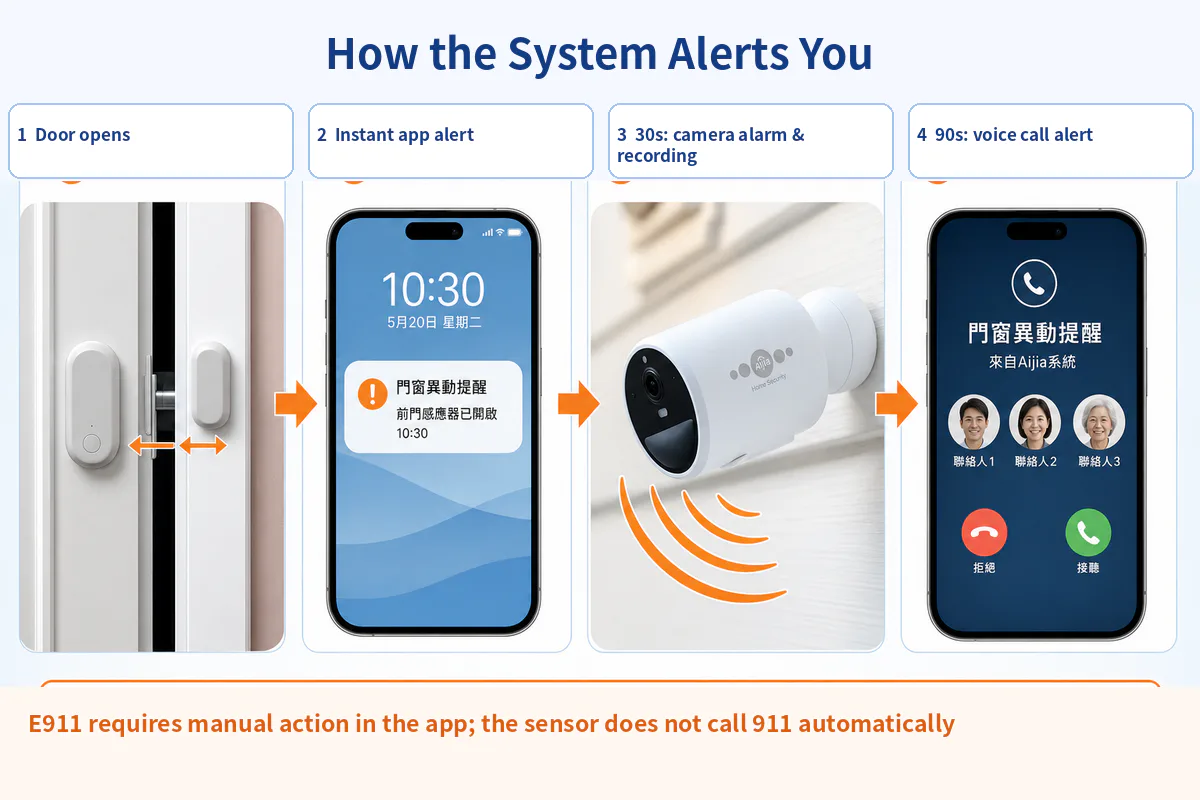
Direct answer: The app can send an immediate alert. With compatible AIjia camera integration configured, camera alarm and recording may start approximately 30 seconds later; a voice-call alert to up to three contacts may follow approximately 90 seconds later.
The first layer is an app notification identifying an opening. The second is a configured camera response to help view the scene. The third is a telephone voice alert to as many as three selected contacts, reducing reliance on a single person noticing the app. Timing and functionality depend on compatible configuration, power and connectivity.
Important: Door-sensor activity does not automatically call 911. E911 requires a user to take action in the app; the Canadian installation guide states that the relevant function requires iTalkBB Home Phone service.
Learn about AIjia wireless security cameras. AIjia's AI recognition features are intended to help filter certain pet and routine activity alerts, although no system should be assumed to prevent every false alarm.
Which Canadian Homes May Benefit from a Smart Door Sensor?
- Apartments and condos: main entrances and patio doors.
- Detached houses and townhouses: front, side and basement doors.
- Airbnb or rental properties: suitable entries, subject to permission and local rules.
- Homes with older adults or children: awareness of when an exterior door opens.
- Households away for work or winter travel.
- Properties with multiple entrances requiring identifiable alert locations.
- Homes already using AIjia cameras that want door-triggered monitoring.
For rented property, review lease and building rules before installation. Apply sensors to clean, even surfaces without blocking the door, emergency exits or fire-safety equipment.
Start with One Door and Build a Clearer Home-Alert Routine
Effective home security does not mean installing the largest number of devices. Start with the most important entrances, clear device names, appropriate modes and a family response plan. The door sensor supplies the first opening signal; a motion detector supplements indoor activity information; a camera helps the family assess the scene.
After installation, test the whole sequence: open a door, check the app, verify any camera integration and contact alerts, and make sure household members know what to do next.
Frequently Asked Questions
Can a smart door sensor tell whether the door is locked?
No. It detects opening or closing, not whether the lock is engaged. Always check the lock yourself before leaving.
How is a door sensor different from a motion detector?
A door sensor monitors a chosen opening, while a motion detector monitors movement within its coverage area. Together they cover both entrances and indoor activity.
Can a renter install a door sensor in an apartment or condo?
Adhesive-mounted devices typically require no drilling, but users should check the frame surface, lease and building policies and remove devices carefully when leaving.
Will pets trigger a door-sensor alert?
Ordinary indoor pet movement does not usually change the state of a door sensor, but a pet opening a monitored door can trigger an alert. Motion sensors may respond to pet movement.
Will an opened door automatically call 911?
No. The sensor does not independently call emergency services. E911 requires an intentional action in the app and the relevant function requires iTalkBB Home Phone service according to the Canadian installation guide.
Service, device compatibility, internet connectivity, pricing and terms may change. Check the current Canadian iTalkBB information before subscribing.