
Summary: Protecting a senior who lives alone takes more than one daily phone call. Families should reduce hazards at home, establish daily check-ins and an emergency support plan, and make sure the senior can still call for help after a fall or sudden illness when a phone is out of reach.
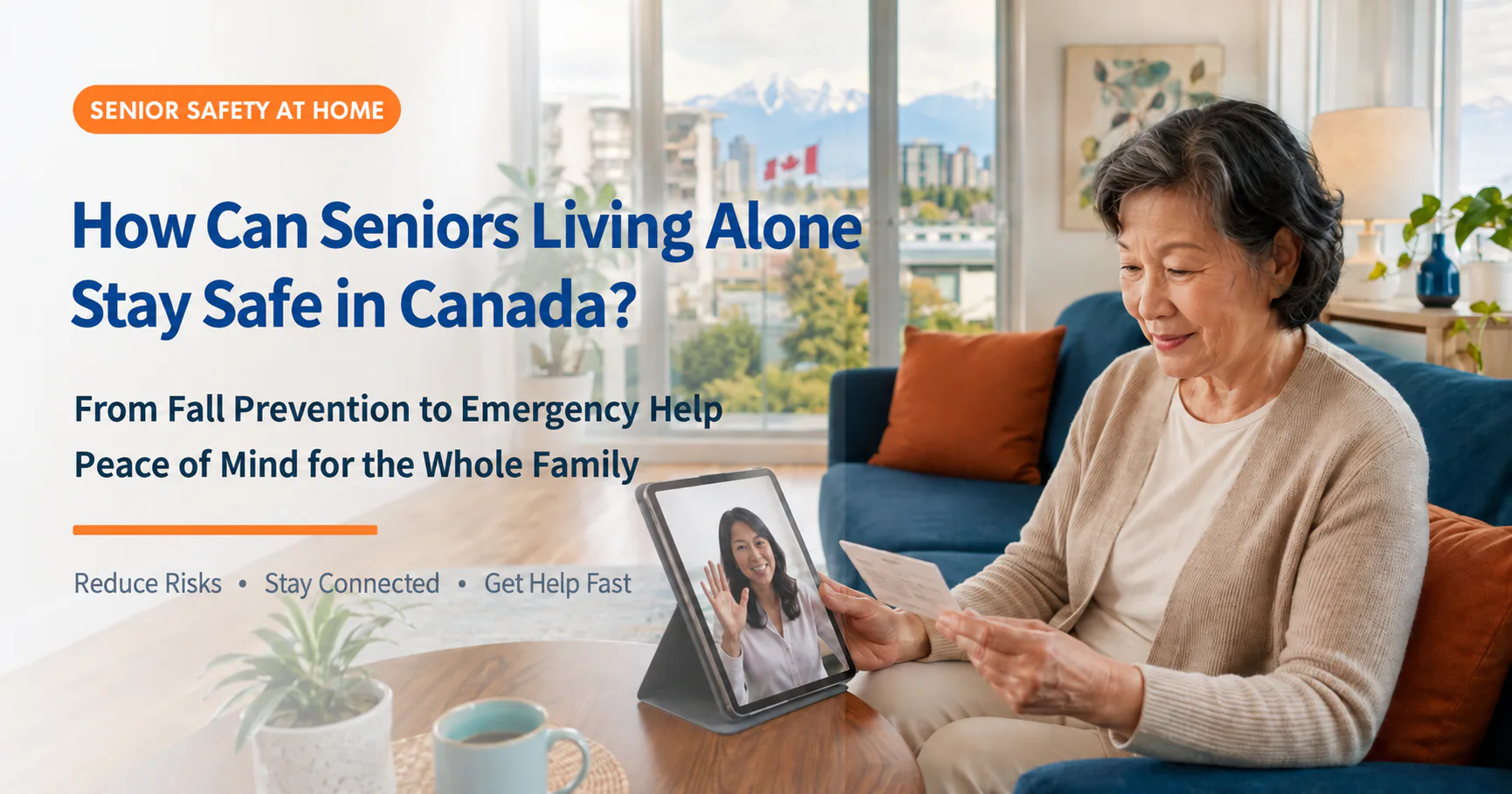
Many seniors who move to Canada want to keep their own space and daily rhythm. Their adult children may support that independence while still worrying about a bathroom fall or a sudden illness during the night.
The goal is not constant surveillance. It is to reduce hazards, establish predictable check-ins and create an emergency plan that the senior can actually use.
What are the most common home-safety risks?
Direct answer: Common risks include falls, slippery bathrooms, stair injuries, sudden illness, an unattended stove and being unable to reach a phone after an incident.
The Public Health Agency of Canada identifies falls as a leading cause of injury-related hospitalization and death among older adults. Reduced vision, lower strength or balance, unsuitable footwear, poor lighting and clutter can all increase risk. Chest discomfort, breathing difficulty, dizziness or a sudden change in a chronic condition may also require help.
How do families build four layers of protection?
Direct answer: Reduce hazards first, then add daily check-ins, nearby emergency contacts and an easy-to-activate help method. Together they form a more complete safety plan.
- Fall prevention: remove clutter, secure rugs, improve lighting and add bathroom grab bars and non-slip equipment.
- Daily check-ins: agree on a regular time for a call or message.
- Emergency contacts: choose relatives, friends or neighbours who can respond quickly.
- Emergency tools: provide another way to get help when a telephone is out of reach.
Canadian winters bring shorter daylight hours, snow and ice. Wet footwear can also bring water into an entryway, so indoor and outdoor hazards both need regular checks.
Which four areas need special attention?
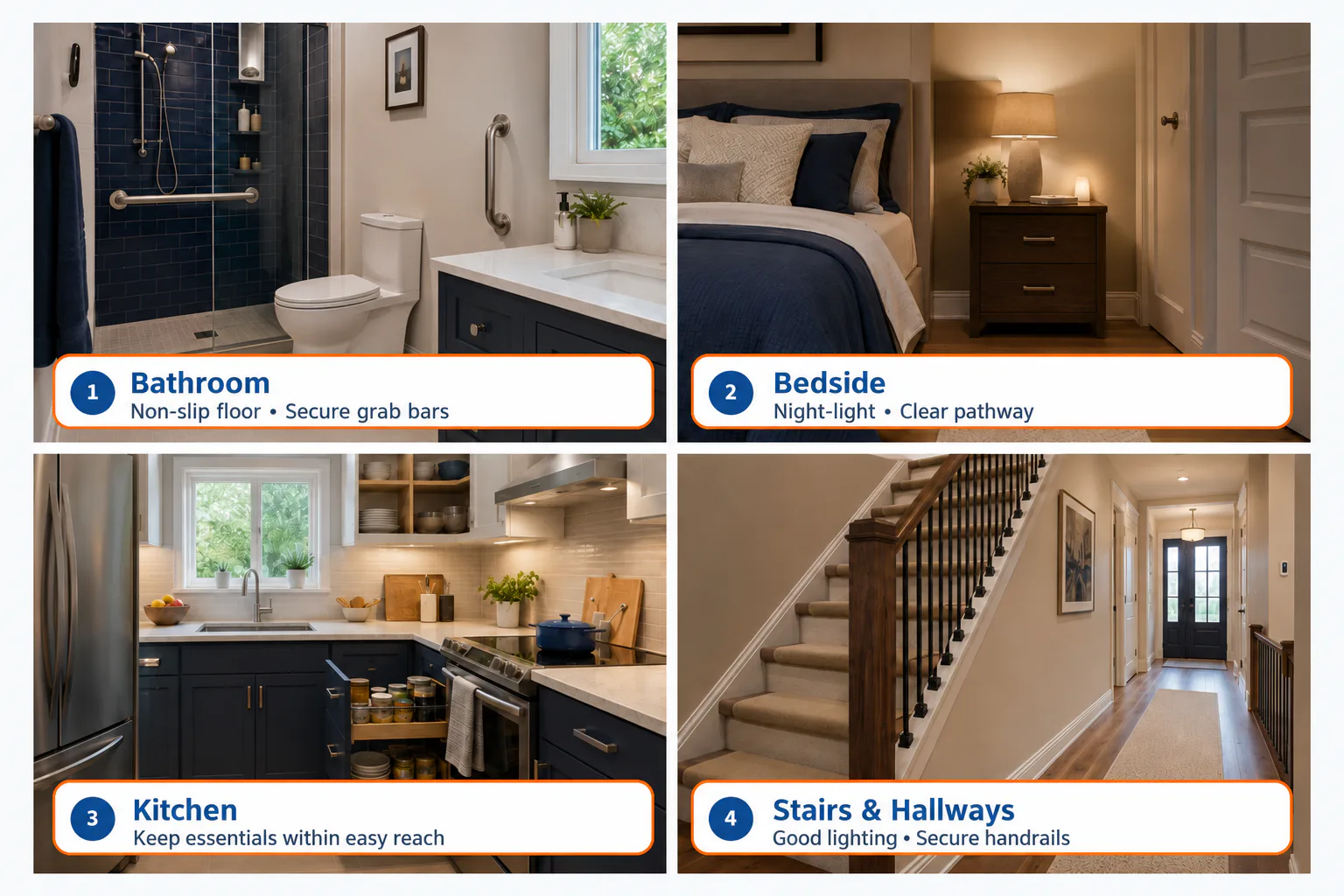
1. Bathroom: Add non-slip equipment and grab bars
Use a secure non-slip surface, properly installed grab bars and a shower chair. Make sure a help method remains reachable from the floor.
2. Bedside: Add a night-light and clear the route
Light the path from bed to bathroom and remove cords and clutter. Keep glasses, mobility aids, a phone and an alert button in predictable places.
3. Kitchen: Reduce bending, reaching and unattended-stove risks
Store frequently used cookware and food between waist and shoulder height. Consider appliances with automatic shut-off and test smoke and carbon monoxide alarms regularly.
4. Stairs and hallways: Improve lighting and remove obstacles
Provide light switches at both ends of the stairs, make step edges visible, secure handrails and remove boxes, shoes and unstable furniture.
Is one daily phone call enough?
Direct answer: Daily contact is useful, but an incident can happen between calls. A daily call alone is not enough if the senior cannot reach or answer the phone.
| Arrangement | How it starts | Advantage | Limitation | Best suited to |
|---|---|---|---|---|
| Mobile or home phone | Senior dials | Familiar and versatile | Phone must be reachable and operable | Alert and independently mobile |
| Daily family call | Family calls at a set time | Regular check-in | May not detect an incident quickly | Baseline plan for anyone living alone |
| Pendant help button | Senior presses button | Simple and wearable | Must be worn and pressed | Reduced mobility or fall risk |
| Voice, button and pull cord | Speak, press or pull | Multiple ways to activate | Needs setup, testing and service | Added in-home emergency support |
How can PeaceTone help a senior call for assistance at home?
Direct answer: PeaceTone can be activated by shouting “Help,” pressing a wireless pendant button or pulling a help cord. It calls up to three preset contacts in sequence; if none can be reached, it connects to 911 and sends the registered address.
Review PeaceTone features and application details
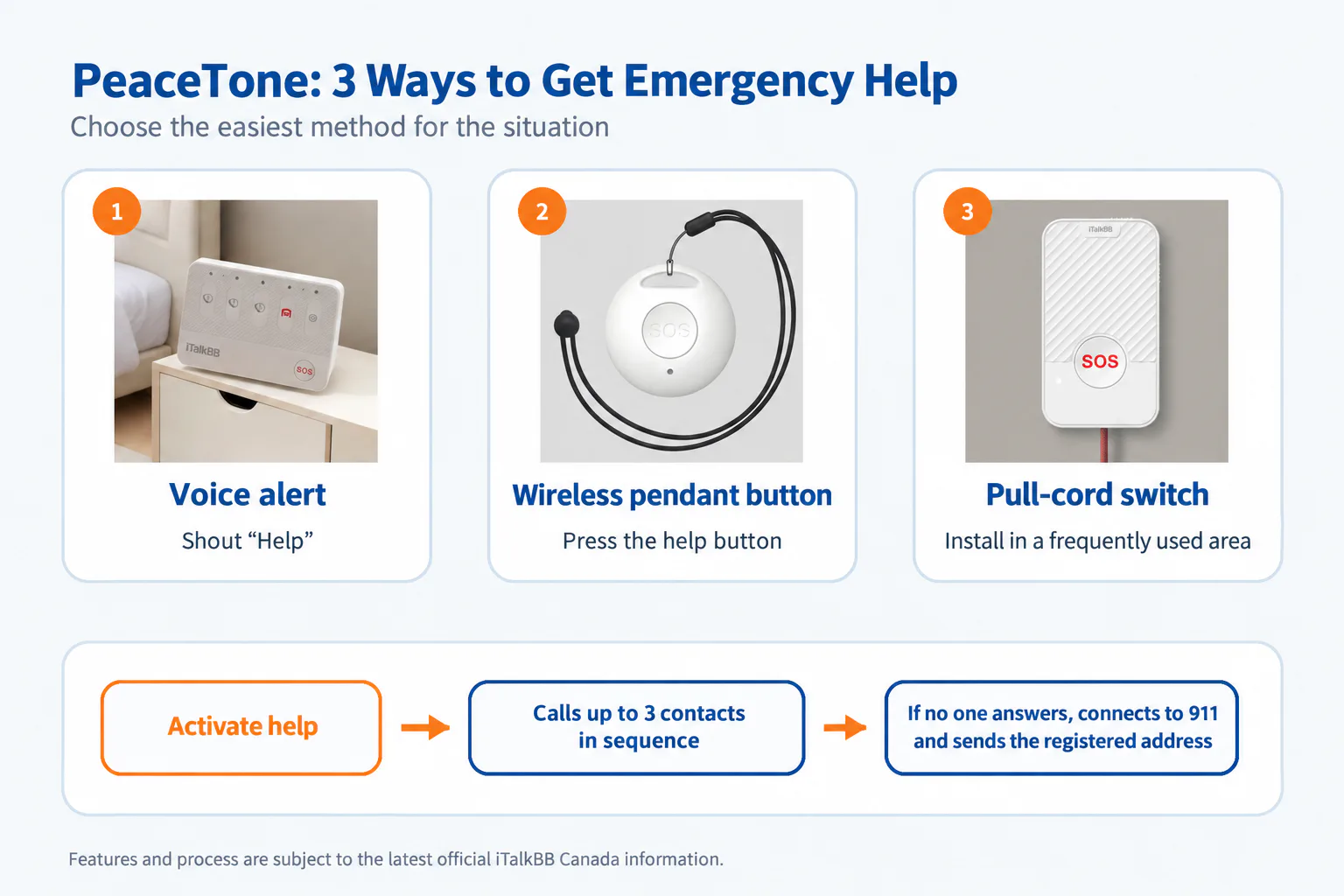
Method 1: Use the voice alert
A conscious senior who cannot walk to a telephone or reach a button may be able to activate the system by voice.
Method 2: Press the wireless pendant button
The senior can wear the wireless button at home and press it to begin the preset contact process. It only helps as a wearable option when it is actually worn.
Method 3: Pull a fixed help cord
Install cords near higher-risk areas such as the bathroom, bedside, kitchen or stairs. Position them so they may still be reached from floor level.
Who is contacted after an alert?
- The senior activates the system by voice, pendant button or pull cord.
- The system calls up to three preset family members or emergency contacts in sequence.
- A contact can call the senior or neighbour, or go to the home.
- If none can be reached, the system connects to 911 and sends the registered address.
Pricing note: The source’s approved Traditional Chinese master lists $9.99 per month, a one-year contract and a waived $39.99 activation fee, and states that iTalkBB home phone service is required. Prices, promotions, eligibility and terms may change; verify the latest official Canadian information before publication.
Build an emergency plan for your parents in six steps
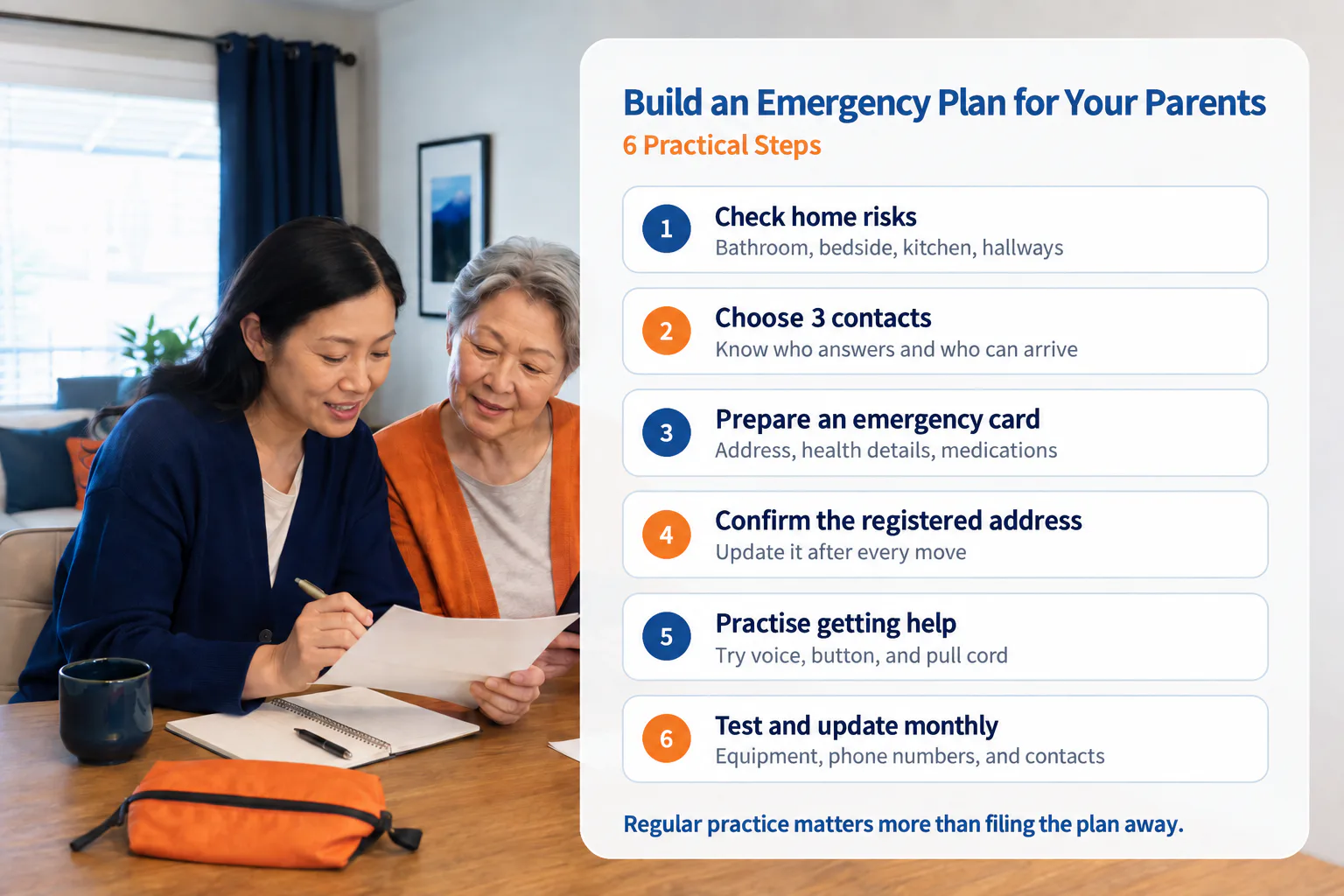
- Complete a home-safety check: Inspect the bathroom, bedroom, kitchen, stairs, hallways and entryway for wet floors, loose rugs, cords and inadequate lighting.
- Choose three emergency contacts: Select people who normally answer their phones, understand the senior’s situation and can take action when needed.
- Prepare an emergency information card: Record the senior’s English and Chinese names, full address, contacts, family doctor, health conditions, medications and allergies.
- Confirm the registered service address: Update the complete address and related details after a move, unit change or telephone-service change.
- Have the senior practise: Practise the voice alert, button and pull cord, and confirm that they can be activated from key areas.
- Test and update monthly: Check equipment, contact numbers and service status; update the list when a contact travels, moves or changes numbers.
What limitations should families understand?
Direct answer: An emergency alert system adds a way to request help, but it does not replace family care, medical advice, regular visits or 911.
- PeaceTone is not an automatic fall-detection device; the senior must use voice, button or pull cord.
- It is not a continuously staffed medical monitoring centre.
- It requires iTalkBB home phone and related service.
- Power, internet, telephone or service outages may affect operation; keep a charged mobile phone or other backup.
- Registered addresses and contacts must stay current; the senior and family should test and practise regularly.
- Call 911 directly for a life-threatening emergency.
Frequently Asked Questions
What should you do after a senior falls?
Call 911 immediately for severe pain, a head injury, loss of consciousness, breathing difficulty, chest discomfort or an inability to move safely. Do not force the person up. Seek medical advice as appropriate even when the fall seems minor.
Can a senior who does not speak English use it?
The source states that PeaceTone offers Chinese-language prompts and operation, and that iTalkBB provides Mandarin, Cantonese and English customer service. Confirm current language support in the latest official information.
Can PeaceTone replace a caregiver or medical services?
No. It adds another way to request help but does not replace family visits, professional care, medical diagnosis or 911.
Medical and emergency notice: This article provides general home-safety information and does not replace advice from a physician, physiotherapist or other professional. Call 911 immediately for a life-threatening emergency or a situation requiring urgent response.
Information and promotion notice: Product features, prices, promotions and service terms may change. Current iTalkBB Canada offers and official information apply. Recheck the latest information before publication or use.